
In the rapidly evolving world of AI, developers need more than just a smart model – they need intelligent orchestration. That’s where Microsoft’s Semantic Kernel steps in. It’s not just a library; it’s the secret sauce for building AI agents that can reason, remember, and react. If you’re working with .NET or Python and wondering how to architect smarter systems, buckle up.
In this article we will see how to create a simple intelligent application similar to ChatGPT. We will add plugins for example Weather plugin to get real time weather for any city and the explanation. In upcoming articles we will see how to add Persona, planner and much more.
But before knowing more about Semantic Kernel, let us first understand what is an AI agent.
What is an AI agent?
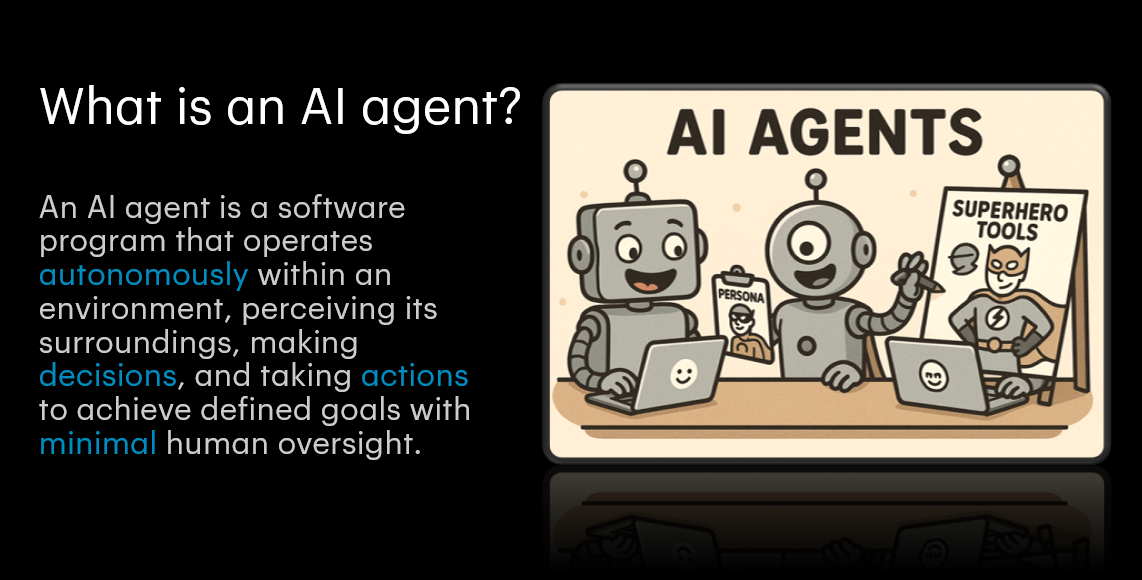
An AI agent is a system that:
- Understands inputs (e.g. natural-language instructions)
- Processes information using internal logic or external tools
- Acts on its environment (e.g. invoking APIs, querying databases)
- Learns or remembers past interactions to inform future behavior
Rather than a one-shot prompt/response, an agent orchestrates many pieces—LLMs, plugins, memory stores, and more—to deliver sophisticated, goal-driven workflows.
What is Semantic Kernel?
Semantic Kernel (SK) is Microsoft’s open-source SDK for building AI-first apps and intelligent agents. It acts as the brain behind the chatbot, giving structure to how prompts, plugins, memory, planning, and execution all work together.
At its core, SK is built around the idea of blending:
- Natural Language (via LLMs like GPT-4, Azure OpenAI)
- Symbolic Reasoning (structured logic)
- Tool Invocation (calling APIs, plugins, functions)
The kernel is at the center

The kernel underpins almost every part of the Semantic Kernel SDK, since it provides all the services and plugins required to execute native code alongside AI-driven operations. As a result, whenever you invoke a prompt or run code within Semantic Kernel, the kernel is always on hand to supply the needed services and extensions.
This makes it an orchestration powerhouse that lets you build apps that understand context, plan ahead, and take actions.
🔨 Let’s Build: Getting Started
1️⃣ Install SK NuGet Package
dotnet add package Microsoft.SemanticKernel --version 1.54.0
2️⃣ Create a Kernel and Start Chatting
using Microsoft.SemanticKernel;
using Microsoft.SemanticKernel.ChatCompletion;
using Microsoft.SemanticKernel.Connectors.OpenAI;

var builder = Kernel.CreateBuilder();
builder.AddOpenAIChatCompletion("gpt-4", "<your-openai-api-key>");
var kernel = builder.Build();

var chat = kernel.GetRequiredService<IChatCompletionService>();
var history = new ChatHistory();
history.AddUserMessage("Give me a productivity tip.");

var result = await chat.GetChatMessageContentsAsync(history);
Console.WriteLine(result[0].Content);
🧠 Now your app can talk intelligently, powered by GPT.
In this example I have plugged with OpenAI but you can use anything else and even your own model.
🔌 Add Plugins: Native C# Functions as AI Skills
Plugins are the way you teach your Semantic Kernel–powered agent to do things beyond pure language: call APIs, run algorithms, access memory stores, or interact with your systems. They’re the bridge between the AI’s “reasoning” and real-world action.
Here is a simple example of a math plugin:
public class MathPlugin
{
    [KernelFunction]
    public int Square(int x) => x * x;
}

kernel.Plugins.AddFromType<MathPlugin>();

var result = await kernel.Plugins["MathPlugin"]["Square"]
    .InvokeAsync(kernel, new() { ["x"] = "7" });

Console.WriteLine(result.GetValue<int>()); // Output: 49
🌦 Real-World Plugin: Check Weather via OpenMeteo
public class WeatherPlugin[KernelFunction("get_weather")]
{
private static readonly HttpClient Http = new();
[Description("Get current weather for a city")]
public async Task<string> GetWeather(string city)
{
var geo = await Http.GetStringAsync($"https://geocoding-api.open-meteo.com/v1/search?name={city}&count=1");
var gdoc = JsonDocument.Parse(geo);
var loc = gdoc.RootElement.GetProperty("results")[0];
var lat = loc.GetProperty("latitude").GetDouble();
var lon = loc.GetProperty("longitude").GetDouble();
var weather = await Http.GetStringAsync(
$"https://api.open-meteo.com/v1/forecast?latitude={lat}&longitude={lon}¤t_weather=true");
return weather;
}
}
Now your AI can react to real-time data and APIs.
Here is complete code including plugins:
using System;
using System.ComponentModel;
using System.Linq;
using System.Net.Http;
using System.Text.Json;
using System.Threading.Tasks;
using Microsoft.SemanticKernel;
using Microsoft.SemanticKernel.ChatCompletion;
using Microsoft.SemanticKernel.Connectors.OpenAI;
namespace SemanticKernelDemo
{
class Program
{
static async Task Main(string[] args)
{
// 1️⃣ Get API key (from env-var)
var apiKey = Environment.GetEnvironmentVariable("OPENAI_API_KEY");
if (string.IsNullOrWhiteSpace(apiKey))
{
Console.Error.WriteLine("ERROR: Please set the OPENAI_API_KEY environment variable.");
return;
}
// 2️⃣ Build kernel with OpenAI chat and plugins
var builder = Kernel.CreateBuilder();
builder.AddOpenAIChatCompletion(
"gpt-4o-mini",
apiKey
);
// Add the plugins to the builder before building the kernel
var weatherPlugin = new WeatherPlugin();
var mathPlugin = new MathPlugin();
builder.Plugins.AddFromObject(weatherPlugin);
builder.Plugins.AddFromObject(mathPlugin);
var kernel = builder.Build();
// 3️⃣ Simple chat example
var chat = kernel.GetRequiredService<IChatCompletionService>()
?? throw new InvalidOperationException("Chat service not registered");
var history = new ChatHistory();
history.AddUserMessage("Give me a productivity tip.");
var replies = await chat.GetChatMessageContentsAsync(history);
Console.WriteLine("💬 ChatGPT says:");
Console.WriteLine(replies.FirstOrDefault()?.Content);
Console.WriteLine();
// 4️⃣ Invoke the MathPlugin
var mathFunction = kernel.Plugins["MathPlugin"]["Square"];
var mathResult = await kernel.InvokeAsync(mathFunction, new KernelArguments { ["x"] = 7 });
Console.WriteLine($"🔢 Square(7) = {mathResult}");
Console.WriteLine();
// 5️⃣ Invoke the WeatherPlugin
var weatherFunction = kernel.Plugins["WeatherPlugin"]["get_weather"];
var weatherResult = await kernel.InvokeAsync(weatherFunction, new KernelArguments { ["city"] = "Amsterdam" });
Console.WriteLine("🌦 Weather data JSON:");
Console.WriteLine(weatherResult);
}
}
// ── Plugins ───────────────────────────────────────────────
public class MathPlugin
{
[KernelFunction]
[Description("Calculate the square of a number")]
public int Square(int x) => x * x;
}
public class WeatherPlugin
{
private static readonly HttpClient _http = new();
[KernelFunction("get_weather")]
[Description("Get current weather for a city")]
public async Task<string> GetWeather(string city)
{
try
{
// 1️⃣ Geocode the city name
var geoUrl = $"https://geocoding-api.open-meteo.com/v1/search?name={Uri.EscapeDataString(city)}&count=1&language=en&format=json";
var geoResponse = await _http.GetAsync(geoUrl);
if (!geoResponse.IsSuccessStatusCode)
{
return $"Failed to geocode '{city}'. Status: {geoResponse.StatusCode}";
}
var geoJson = await geoResponse.Content.ReadAsStringAsync();
using var geoDoc = JsonDocument.Parse(geoJson);
if (!geoDoc.RootElement.TryGetProperty("results", out var results) || results.GetArrayLength() == 0)
{
return $"No location found for '{city}'.";
}
var loc = results[0];
var lat = loc.GetProperty("latitude").GetDouble();
var lon = loc.GetProperty("longitude").GetDouble();
// 2️⃣ Fetch current weather
var weatherUrl = $"https://api.open-meteo.com/v1/forecast?latitude={lat.ToString(System.Globalization.CultureInfo.InvariantCulture)}&longitude={lon.ToString(System.Globalization.CultureInfo.InvariantCulture)}¤t_weather=true";
var weatherResponse = await _http.GetAsync(weatherUrl);
if (!weatherResponse.IsSuccessStatusCode)
{
return $"Failed to get weather data. Status: {weatherResponse.StatusCode}";
}
var weatherJson = await weatherResponse.Content.ReadAsStringAsync();
return weatherJson;
}
catch (Exception ex)
{
return $"Error getting weather for '{city}': {ex.Message}";
}
}
}
}
What We Added
- Environment-variable check for
OPENAI_API_KEY - The modern
Kernel.Builder.WithOpenAIChatCompletionServiceAPI - Proper skill registration via
RegisterSkill(...) - Error handling for missing services and empty geocoding results
usingimports for all required namespaces and JSON parsing
Core Concepts Recap
- Kernel: The orchestrator that ties LLMs, memory, and tools together.
- Skills/Plugins: Native C# or Python functions annotated with
[KernelFunction]. - Memory: Interfaces for short- or long-term storage of context (e.g., vector stores).
- Planning: Utilities to generate multi-step plans from high-level goals.
- Tool Invocation: Call any external HTTP API or function seamlessly from your prompt flow.
🧠 Final Thoughts
Semantic Kernel is more than an SDK — it’s your blueprint for AI-first software. It lets you:
- Build single-agent copilots
- Orchestrate multi-agent workflows
- Integrate with external tools
- Add memory, planning, and autonomy
In upcoming articles we will see how to add Persona, planner and much more so stay tuned.
I hope it helps.
 Neel Bhatt